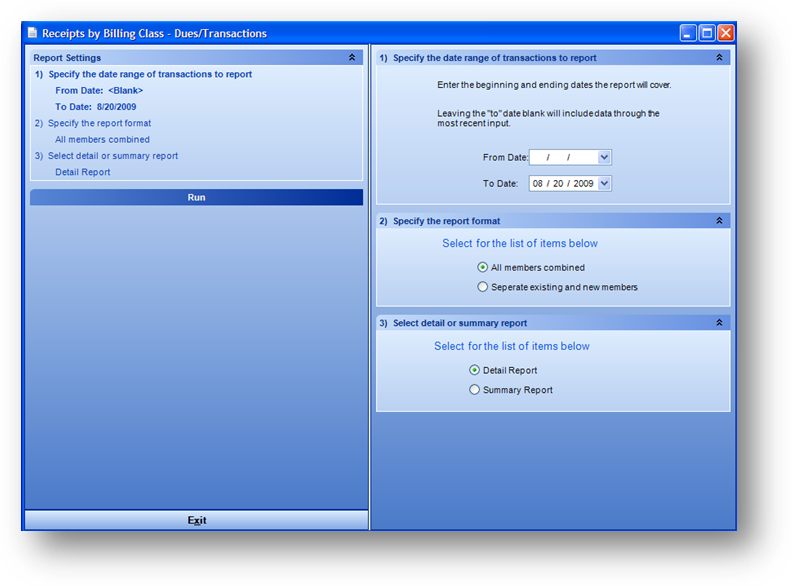
Purpose: To analyze payment trends for each class, with the hopes of optimizing cash flow.
Launch Point: This report can be launched from the following location(s):
•Dues → Reports → Transactions →
Example: When the report is launched the report wizard will open
Detail Report
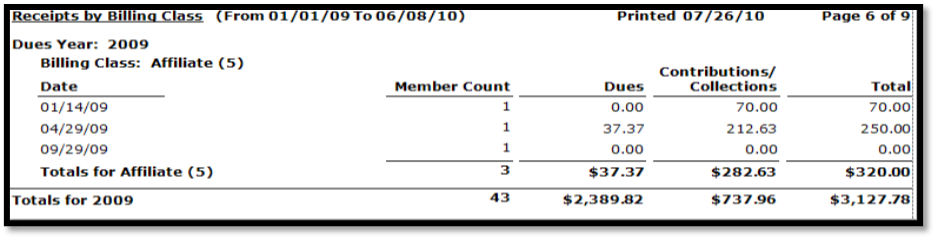
Note: Transaction count is the actual number of transactions while the Member count is the number of unique individuals who made those transactions.