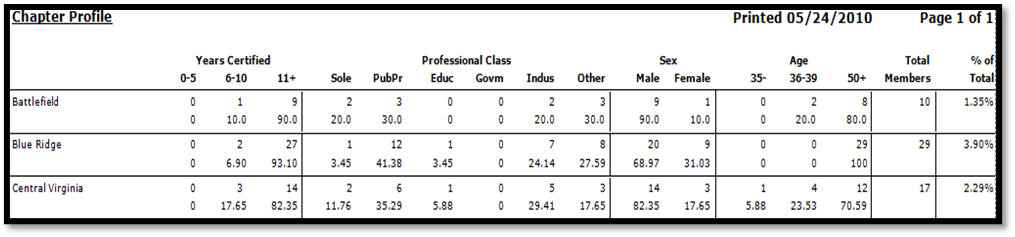
Purpose: This report provides member statistics broken down by either the preferred or actual chapter.
Launch Point: This report can be launched from the following location(s):
•Names → Reports → Statistical →
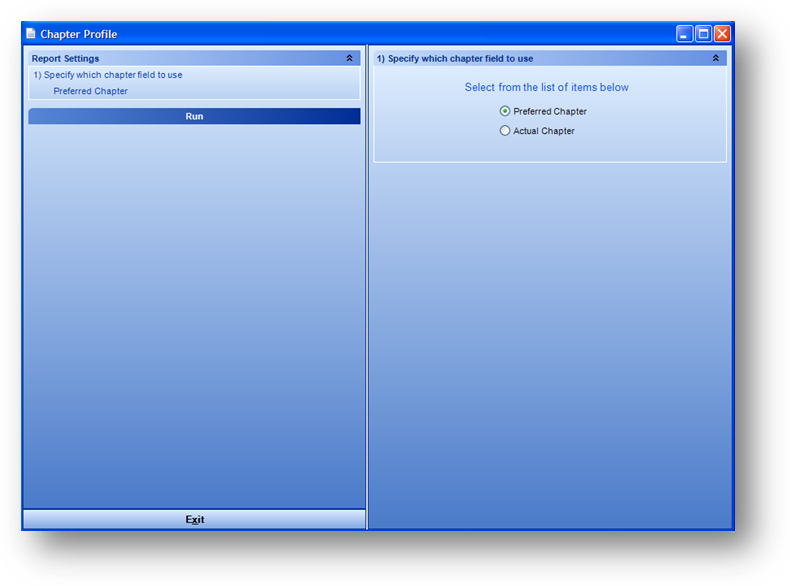
Example: When the report is launched the report wizard will open
Listed for each chapter are both a count and percentage for: years certified, general business type, gender, age grouping, and total chapter membership.